Your website may have useful content, a professional design and a strong product or service, but that does not automatically mean search engines can discover and understand every important page.
Technical errors, indexing problems, weak internal links, outdated content and slow page experiences can all limit your website’s search performance.
An SEO audit helps you identify these problems, understand their potential impact and decide what to fix first. Instead of making random optimization changes, you can work from a structured assessment of your website.
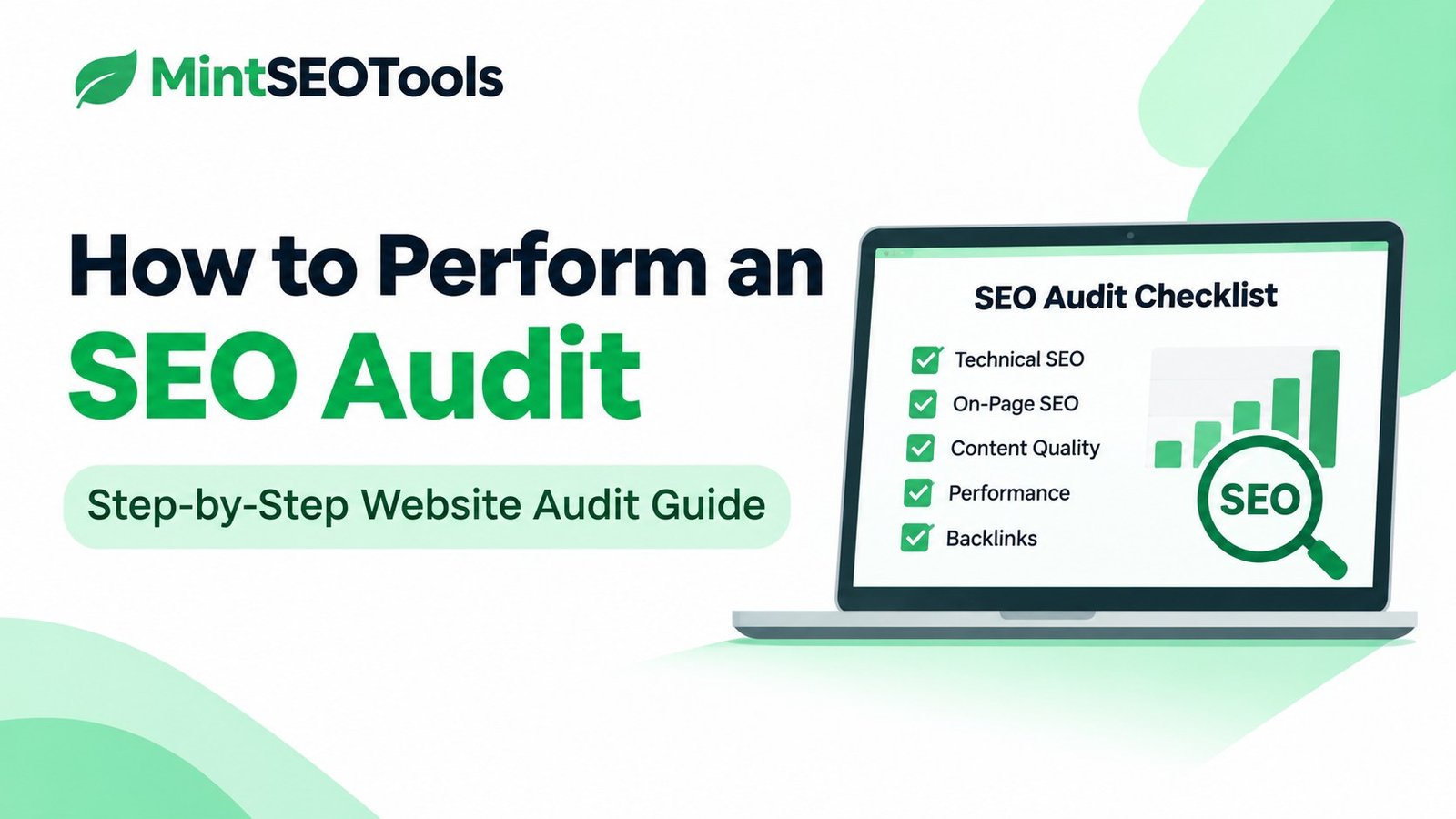
In this guide, you’ll learn how to perform an SEO audit step by step, which tools to use, what to check and how to turn your findings into a practical improvement plan.
Whether you manage a WordPress blog, business website, online store or content-based website, this process will help you evaluate your site’s SEO health.
What Is an SEO Audit?
An SEO audit is a structured evaluation of a website’s ability to be discovered, crawled, indexed, understood and presented in search results.
It examines different parts of your website to identify technical problems, content weaknesses, on-page optimization opportunities, internal linking issues and other factors that may affect search visibility.
A comprehensive SEO audit generally covers these areas:
| Audit area | What you examine |
|---|---|
| Technical SEO | Crawlability, indexability, redirects, status codes and canonical URLs |
| On-page SEO | Page titles, meta descriptions, headings, URLs and image alt text |
| Content quality | Search intent, usefulness, originality, accuracy and content gaps |
| Website structure | Navigation, internal links, important pages and site architecture |
| Performance | Loading speed, Core Web Vitals and mobile experience |
| Off-page SEO | Backlinks, referring domains and link-related risks |
| Search visibility | Organic impressions, clicks, queries and indexing information |
The purpose is not to collect the largest possible list of warnings. It is to identify issues that matter and determine how to resolve them.
Why Is an SEO Audit Important?
A website can gradually develop SEO problems as new pages are published, plugins are installed, designs change and URLs are modified.
An audit helps you detect these problems before they become larger obstacles.
Here are some important reasons to audit your website.
1. Identify crawling and indexing problems
Search engines need to discover and access your important pages before those pages can be considered for search results.
Incorrect robots.txt rules, accidental noindex directives, broken URLs and server errors can interfere with this process.
An audit helps you investigate whether important pages are accessible and eligible for indexing.
2. Improve on-page optimization
A page may contain valuable information but still have unclear titles, poorly organized headings, missing descriptions or weak internal links.
Reviewing these elements helps make your pages easier for visitors and search engines to understand.
3. Find content weaknesses
Some pages may no longer satisfy the search intent they originally targeted. Others may contain outdated information, duplicate sections or little useful information.
A content audit helps you identify pages that need updating, consolidation, improvement or removal.
4. Improve website performance
Slow loading, delayed interactions and unexpected layout shifts can create a frustrating experience.
Reviewing Core Web Vitals and other performance indicators helps you identify opportunities to improve usability.
5. Understand your search performance
Google Search Console provides information about search queries, impressions, clicks, indexing and page performance.
Combining this information with a technical and content review gives you a clearer picture of what is happening across your website.
What Tools Do You Need for an SEO Audit?
You do not need an expensive SEO subscription to begin auditing a website. Several free tools can help you investigate important areas.
| Tool | Main purpose |
|---|---|
| MintSEOTools SEO Audit Tool | Initial website and on-page/technical checks |
| Google Search Console | Search performance, indexing and URL inspection |
| Google Analytics 4 | Website traffic and conversion analysis |
| PageSpeed Insights | Page performance and Core Web Vitals information |
| Google Rich Results Test | Testing eligibility for supported rich results |
| Screaming Frog SEO Spider | Crawling URLs and examining website structure |
| Bing Webmaster Tools | Bing search performance and site diagnostics |
You can start with an automated overview and then use specialist tools to investigate individual issues.
Start with the MintSEOTools SEO Audit Tool
If you want an initial overview of your website, start with the free MintSEOTools SEO Audit Tool.
Enter your website URL and use the audit report to identify areas that may need attention.
The tool’s landing page describes checks for areas including:
- Page titles and meta descriptions.
- Heading structure.
- Image alt attributes.
- Internal and external links.
- Robots.txt and XML sitemaps.
- Canonical URLs and redirects.
- Broken links and response codes.
- Page speed and Core Web Vitals.
- Mobile usability and structured data.
Treat automated findings as starting points. Verify important issues using the relevant source, such as Google Search Console, PageSpeed Insights or a dedicated crawler.
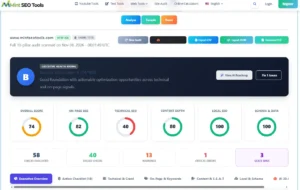
For example, an automated report may identify a page with a possible indexing problem. Before changing anything, inspect the URL in Google Search Console and determine whether the page is actually blocked, redirected, excluded or simply not indexed yet.
The goal is to understand the problem before applying a fix.
How to Perform an SEO Audit Step by Step
Follow these steps to conduct a structured audit of your website.
Step 1: Define Your Audit Goals and Collect Baseline Data
Before running any tools, decide what you want to investigate.
Are you launching a new website? Have organic clicks declined? Did you recently redesign your website? Are important pages missing from Google?
Your objective determines where you should spend the most time.
Start by collecting baseline information.
In Google Search Console, review:
- Total organic clicks.
- Search impressions.
- Average click-through rate.
- Average position.
- Queries generating traffic.
- Pages receiving the most impressions.
- Page indexing information.
- Core Web Vitals reports.
In Google Analytics 4, review:
- Organic search sessions.
- Landing pages.
- Engagement.
- Leads, purchases or other conversions.
- Changes in traffic over time.
Compare equivalent date ranges and account for seasonality or major website changes.
For example, if a website’s organic clicks have declined, investigate which pages and queries experienced the largest changes. A sitewide traffic decline and a decline limited to one important landing page may require very different solutions.
Practical tip: Record your starting metrics before making changes. This gives you a baseline for evaluating the results of your audit work.
Step 2: Check Whether Search Engines Can Access Your Website
Crawlability is one of the first areas to investigate.
Search engines must be able to access important pages to process their content.
Start with these checks.
Check your robots.txt file
Open:
https://yourdomain.com/robots.txt
Review the rules and look for directives that may unintentionally block important website sections.
For example:
User-agent: *
Disallow: /admin/
Allow: /
This is an illustrative example, not a universal configuration. Your actual rules should reflect your website’s structure and requirements.
Remember that robots.txt controls crawler access. It is not a reliable method for removing a URL from Google’s index.
Check important pages for noindex directives
Inspect the page source or response headers for:
<meta name="robots" content="noindex">Also check for an X-Robots-Tag HTTP header.
If an important page is unintentionally marked noindex, search engines may be instructed not to include it in search results.
Check your XML sitemap
Open your sitemap, commonly found at:
https://yourdomain.com/sitemap.xml
Depending on your CMS and SEO plugin, the sitemap may use a different URL.
Check that it:
- Contains the important canonical URLs.
- Does not include unnecessary redirected URLs.
- Does not include pages you intentionally exclude from search.
- Can be accessed successfully.
- Is submitted in Google Search Console where appropriate.
A sitemap helps search engines discover URLs, but submitting one does not guarantee that those URLs will be crawled or indexed.
For more information, see Google’s technical requirements for Google Search.
Step 3: Check Indexing Status in Google Search Console
A page being published does not mean Google has indexed it.
Open Google Search Console and select your website property.
Navigate to the Page indexing report to review how Google has processed your URLs.
Pay attention to statuses such as:
- Indexed.
- Crawled – currently not indexed.
- Discovered – currently not indexed.
- Excluded by noindex.
- Blocked by robots.txt.
- Page with redirect.
- Not found (404).
- Server error (5xx).
These statuses require different responses.
For example:
Crawled – currently not indexed
Google has crawled the page but has not included it in its index at the time of reporting. Review its usefulness, originality, internal links, duplication and overall quality before deciding what to change.
Discovered – currently not indexed
Google knows about the URL but has not yet crawled it. Review discovery paths, internal linking, server availability and whether the URL deserves to be indexed.
Excluded by noindex
Check whether the directive is intentional. If the page should appear in search results, investigate why the noindex instruction exists.
Page with redirect
Confirm that the redirect points to the correct destination and that internal links use the preferred URL.
For individual URLs, use the Google Search Console URL Inspection tool.
It provides information about Google’s indexed version of a page and offers a live test for checking aspects of the current URL.
A successful live test does not guarantee indexing. It only helps verify specific technical conditions.
Step 4: Check Website URLs, Status Codes and Redirects
Broken URLs and incorrect redirects can create problems for visitors and search crawlers.
Review the important pages on your website and identify:
| HTTP status | Meaning | What to investigate |
|---|---|---|
| 200 | Successful response | Confirm the correct page is being served |
| 301 | Permanent redirect | Verify the destination is appropriate |
| 302 | Temporary redirect | Confirm whether the temporary status is intentional |
| 404 | Page not found | Restore, redirect or leave the URL unavailable when appropriate |
| 410 | Resource gone | Confirm that the resource was intentionally removed |
| 500 | Internal server error | Investigate application or server problems |
| 503 | Service unavailable | Check temporary outages or server maintenance |
Look for:
- Redirect chains.
- Redirect loops.
- Broken internal links.
- Incorrect redirects to unrelated pages.
- Important URLs returning errors.
- HTTP versions of pages when HTTPS should be preferred.
For example, suppose you changed a blog URL from:
example.com/old-seo-guide/
to:
example.com/seo-guide/
A permanent redirect may be appropriate if the new URL genuinely replaces the old resource.
Update internal links to point directly to the preferred destination instead of relying on redirects.
Do not redirect every deleted URL to the homepage. Redirect only when a genuinely relevant replacement exists.
Step 5: Review Canonical URLs and Duplicate Pages
Websites can expose similar or duplicate content through different URLs.
For example:
- HTTP and HTTPS versions.
- URLs with and without trailing slashes.
- Tracking parameters.
- Product filter combinations.
- Print-friendly page versions.
- Similar pages targeting overlapping subjects.
Canonical tags help indicate the preferred URL within a group of duplicate or similar pages.
An example:
<link rel="canonical" href="https://example.com/seo-guide/">During your audit, check:
- Does every important page have an appropriate canonical URL?
- Does the canonical point to the correct preferred version?
- Are canonical destinations accessible?
- Do redirected URLs and internal links support the intended URL structure?
- Are duplicate pages competing unnecessarily?
Google treats canonicalization as a signal rather than an absolute instruction. It may select a different canonical URL based on its own assessment.
Avoid using canonical tags as a substitute for fixing incorrect internal links, unnecessary URL variations or poor website architecture.
Read Google’s canonicalization documentation.
Step 6: Audit Page Titles, Meta Descriptions and Headings
On-page elements help visitors understand what each page offers and help search engines interpret its subject.
Review the following for your important pages.
SEO title tags
Check whether each important page has a descriptive and relevant title.
Look for:
- Missing titles.
- Duplicate titles.
- Titles that do not represent the page.
- Excessive keyword repetition.
- Unnecessarily vague wording.
- Titles that are misleading.
Meta descriptions
Check whether important pages have useful descriptions that accurately summarize their content.
Descriptions should help searchers understand why a page is relevant. Google may generate a different snippet depending on the query and page content.
Heading structure
Review whether each page has a clear main heading and logical subheadings.
A well-organized page should be easy to scan and understand.
Image alt text
Check that meaningful images have descriptive alternative text. Decorative images should not receive unnecessary keyword-filled descriptions.
For a deeper explanation, read our guide to SEO title tags and best practices.
Step 7: Review Content Quality and Search Intent
Technical SEO alone cannot make an unhelpful page valuable.
Review the content on your most important URLs.
Ask:
- Does the page satisfy the reason someone searched for this topic?
- Is the information accurate and current?
- Does it provide useful detail?
- Does it contain original examples or practical insights?
- Are important questions answered?
- Does the page repeat information already covered elsewhere?
- Is the content easy to understand?
- Does it clearly identify its intended audience and purpose?
Look for:
Thin or incomplete content
A page may need improvement if it does not provide enough information to satisfy its intended purpose.
Do not judge content quality using word count alone.
Outdated information
Review old statistics, product features, platform instructions, screenshots and references.
Update information when it has genuinely changed.
Duplicate or overlapping content
If multiple pages target nearly identical subjects and satisfy the same intent, review whether they should be differentiated, consolidated or otherwise reorganized.
Search intent mismatch
A page targeting an informational query should not primarily function as a sales landing page.
Likewise, a page targeting a specific tool query should make it easy for users to access or understand that tool.
For additional guidance, see our On-Page SEO guide.
Step 8: Review Internal Links and Website Architecture
Internal links connect pages within your website and help visitors discover related information.
They also help search engines discover URLs and understand relationships between pages.
During your audit, check:
- Are important pages linked from relevant pages?
- Do category pages help visitors navigate content?
- Are important pages unnecessarily buried?
- Are internal links pointing to redirected URLs?
- Are there broken internal links?
- Do anchor texts describe the destination?
- Are related articles connected naturally?
For example, a website about SEO could organize its content around several topic areas:
- SEO fundamentals.
- Keyword research.
- On-page SEO.
- Technical SEO.
- Link building.
- YouTube SEO.
A technical SEO article could link to relevant guides about website speed, indexing and on-page optimization.
This creates a more useful browsing experience than publishing unrelated articles without connections.
Do not follow arbitrary rules such as requiring every page to be within three clicks of the homepage. Focus on logical navigation, discoverability and user needs.
Step 9: Check Website Speed and Core Web Vitals
Website performance is an important part of the overall user experience.
Use Google PageSpeed Insights to evaluate individual URLs.
It provides lab performance information and, when available, real-user field data from the Chrome User Experience Report.
The current Core Web Vitals metrics are:
| Metric | What it measures | Good threshold |
|---|---|---|
| LCP | Loading performance | 2.5 seconds or less |
| INP | Interaction responsiveness | 200 milliseconds or less |
| CLS | Visual stability | 0.1 or less |
These thresholds are evaluated at the 75th percentile of page loads.
Review both mobile and desktop results.
Common performance issues include:
- Large unoptimized images.
- Excessive JavaScript.
- Render-blocking resources.
- Slow server responses.
- Poor caching configuration.
- Unnecessary third-party scripts.
- Layout shifts caused by images, ads or dynamically inserted elements.
Do not optimize a page solely to achieve a perfect Lighthouse score.
Investigate the underlying problem and prioritize changes that improve real user experience.
For detailed optimization instructions, read our guide to speeding up your website.
Step 10: Review Mobile Experience
A website should work reliably on smaller screens.
Open important pages on mobile devices or use browser developer tools to simulate different screen sizes.
Check:
- Text readability.
- Navigation usability.
- Button and link accessibility.
- Form functionality.
- Image scaling.
- Horizontal scrolling.
- Layout consistency.
- Pop-ups and intrusive overlays.
Also verify that the important content and metadata are consistent between mobile and desktop versions.
Google primarily uses the mobile version of website content for indexing, so missing content or important information on mobile can create problems.
Step 11: Review Backlinks and External Link Signals
Backlinks are links from other websites pointing to your pages.
Reviewing your backlink profile can help you understand how other websites reference your content and identify potential link-related problems.
Use Google Search Console’s Links report and, where available, third-party backlink analysis tools.
Investigate:
- Referring domains.
- Links to important pages.
- Relevant industry references.
- Unusual patterns of links.
- Links from unrelated or suspicious sources.
- Changes in your backlink profile.
Do not assume that every low-quality-looking backlink is harming your website.
Google’s spam policies describe manipulative link practices such as buying links for ranking purposes, automated link creation and excessive link exchanges.
Focus on earning relevant editorial references and creating content worth citing rather than chasing arbitrary authority scores.
Step 12: Review Structured Data and Search Appearance
Structured data helps search engines understand certain types of information on a webpage.
Depending on the page and supported Google search features, eligible structured data may help a page qualify for enhanced search appearances.
Review:
- Whether structured data accurately describes visible page content.
- Whether the markup uses the correct schema type.
- Whether required properties are present for the intended feature.
- Whether the markup contains errors.
- Whether the page meets the relevant feature guidelines.
Use Google’s Rich Results Test where applicable.
Remember:
- Valid structured data does not guarantee a rich result.
- Schema markup does not guarantee higher rankings.
- Adding schema does not guarantee inclusion in AI-generated answers.
- Only use markup that accurately represents the page.
Step 13: Review Your Search Visibility and Content Opportunities
An SEO audit should also examine what is already working.
In Google Search Console, open the Performance report and review queries and pages.
Look for:
- Pages receiving impressions but few clicks.
- Queries where your content appears but may not fully satisfy intent.
- Important pages losing impressions.
- Pages attracting irrelevant searches.
- Topics where you have relevant content but weak coverage.
- Pages that could benefit from better internal links or updated information.
Do not automatically rewrite a page because its average position changes.
Investigate the query, date range, search appearance, device and page before deciding what to improve.
If your website is also targeting AI-powered discovery, review the available reporting in Google Search Console and Bing Webmaster Tools where applicable.
Treat AI visibility, traditional rankings, citations and website visits as different measurements. There is no universal AI SEO score that guarantees visibility.
How to Prioritize SEO Audit Issues
One of the biggest mistakes in SEO auditing is treating every warning as equally important.
A report with 100 issues does not necessarily mean you have 100 urgent problems.
Prioritize findings using three considerations:
- Impact: How important is the affected page or template?
- Scale: How many important URLs are affected?
- Effort: How difficult is the fix?
Use this practical prioritization framework:
| Priority | Example issue | Recommended action |
|---|---|---|
| Critical | Important pages blocked from crawling or unintentionally noindexed | Investigate and resolve immediately |
| High | Important pages returning 5xx errors or incorrect redirects | Investigate server and redirect behavior |
| High | Incorrect canonicals across important page templates | Correct the canonical configuration |
| Medium | Missing or duplicate titles on important pages | Improve metadata |
| Medium | Weak internal links to important content | Improve navigation and contextual links |
| Medium | Poor performance affecting important templates | Investigate Core Web Vitals and page resources |
| Low | Minor metadata or formatting issues on low-value pages | Address during routine maintenance |
These are examples, not universal severity classifications. The actual impact depends on the page, issue and website.
Use an SEO Audit Action Plan
Create a simple spreadsheet to manage your findings.
| URL | Issue | Impact | Effort | Priority | Status |
|---|---|---|---|---|---|
| /services/ | Incorrect canonical | High | Medium | High | Pending |
| /blog/guide/ | Missing meta description | Medium | Low | Medium | Pending |
| /product/example/ | Large images | Medium | Medium | Medium | In progress |
| /old-page/ | Broken internal links | High | Low | High | Pending |
Assign an owner and expected completion date when working with a team.
After implementing a fix, verify that it worked. Keep the original finding and the verification result so you can understand what changed.
Common SEO Audit Mistakes to Avoid
1. Fixing every automated warning
Not every warning represents a meaningful SEO problem.
Review the context before changing your website.
2. Ignoring Google Search Console
Automated SEO tools can identify potential issues, but Search Console provides important first-party information about how Google processes your website.
Use both rather than relying on a single report.
3. Confusing crawling with indexing
A page can be crawlable but not indexed. It can also be indexed without receiving meaningful search visibility.
Investigate each stage separately.
4. Making unnecessary URL changes
Changing URLs without a clear reason can create redirect and internal linking problems.
Preserve established URLs whenever possible.
5. Chasing perfect performance scores
A score of 100 is not a guaranteed ranking advantage.
Prioritize real performance improvements and user experience.
6. Ignoring content quality
An audit that only examines technical issues misses important opportunities to improve content usefulness, search intent and originality.
7. Making changes without recording them
If you change several things at once without documentation, it becomes difficult to understand what caused a performance improvement or decline.
Maintain a record of your audit findings and completed fixes.
SEO Audit Checklist: 30 Essential Checks
Use this checklist when reviewing your website.
Technical SEO
- ☐ Website uses HTTPS.
- ☐ Important pages return successful responses.
- ☐ Robots.txt does not block important content.
- ☐ Important pages do not have accidental noindex directives.
- ☐ XML sitemap is accessible and accurate.
- ☐ Important pages are discoverable.
- ☐ Canonical URLs are appropriate.
- ☐ Redirects point to relevant destinations.
- ☐ No important pages have unresolved server errors.
- ☐ Website navigation works correctly.
On-Page SEO and Content
- ☐ Important pages have descriptive titles.
- ☐ Meta descriptions accurately summarize the content.
- ☐ Main headings clearly identify page topics.
- ☐ Heading structure is logical.
- ☐ Content satisfies search intent.
- ☐ Important content is accurate and current.
- ☐ Duplicate or overlapping pages are reviewed.
- ☐ Images have appropriate alt text.
- ☐ Internal links are relevant and functional.
- ☐ Important pages have useful supporting links.
Performance and User Experience
- ☐ Mobile layouts work correctly.
- ☐ Text is readable on smaller screens.
- ☐ Important interactions work.
- ☐ Core Web Vitals are reviewed.
- ☐ Images are appropriately optimized.
Off-Page and Measurement
- ☐ Backlink profile is reviewed.
- ☐ Search Console performance is checked.
- ☐ Important indexing issues are investigated.
- ☐ Conversion data is reviewed.
- ☐ Audit findings are prioritized.
- ☐ Fixes are documented and verified.
How Often Should You Perform an SEO Audit?
There is no single audit schedule that suits every website.
The right frequency depends on website size, publishing activity, technical complexity and how often the website changes.
A practical schedule could be:
| Website type | Suggested review schedule |
|---|---|
| Small business website | Every 3–6 months |
| Active blog | Every 3 months |
| Ecommerce website | Quarterly, with more frequent checks for important changes |
| Large website | Continuous technical monitoring and periodic comprehensive audits |
| Recently redesigned website | Immediately after launch, followed by a review once search systems have processed the changes |
You should also run a focused audit after:
- Website redesigns.
- Domain migrations.
- URL structure changes.
- Major plugin or theme updates.
- Significant drops in organic visibility.
- Unexpected indexing problems.
- Large content publishing projects.
A regular review helps you detect issues before they become difficult to diagnose.
Frequently Asked Questions About SEO Audits
What is the purpose of an SEO audit?
The purpose of an SEO audit is to identify problems and opportunities affecting a website’s search visibility, technical health, content quality and user experience. It helps website owners prioritize improvements instead of making random SEO changes.
Can I perform an SEO audit for free?
Yes. You can begin with free tools such as MintSEOTools SEO Audit Tool, Google Search Console, PageSpeed Insights and Google Analytics 4. More advanced websites may benefit from dedicated crawling and backlink analysis software.
How long does an SEO audit take?
The time depends on the website’s size and complexity. A small website may be reviewed in a few hours, while a large ecommerce website can require several days of crawling, analysis and verification.
Does an SEO audit improve Google rankings?
An audit does not directly improve rankings. It identifies issues and opportunities that you can address. The results depend on the nature of the problems, the quality of the fixes, competition and Google’s evaluation of the website.
What is the difference between an SEO audit and a technical SEO audit?
A technical SEO audit focuses primarily on crawling, indexing, server responses, redirects, canonicalization, website architecture and performance.
A complete SEO audit also evaluates content, on-page optimization, internal links, backlinks and search performance.
How often should I audit my website?
Many small and medium-sized websites can benefit from a comprehensive review every three to six months. Larger or frequently changing websites may need continuous monitoring and more frequent technical checks.
What is the best free SEO audit tool?
The best tool depends on what you want to investigate. MintSEOTools SEO Audit Tool can provide an initial overview, while Google Search Console is important for Google’s indexing and search performance information. PageSpeed Insights is useful for page performance analysis.
No single tool provides every piece of information needed for a complete SEO audit.
Final Thoughts
Performing an SEO audit is about understanding your website before deciding what to improve.
Start by checking crawlability and indexing, then review technical issues, on-page elements, content quality, internal links, performance and backlinks. Use reliable data to verify problems and prioritize the changes that matter most.
Most importantly, do not treat an automated report as a list of instructions that must all be followed. Understand each finding, investigate its impact and verify the result after making changes.
Ready to review your website?
Start with the free MintSEOTools SEO Audit Tool to identify potential optimization opportunities and build a more informed SEO improvement plan.
Official Resources
- Google Search Technical Requirements
- Google Search Essentials
- Google Search Console URL Inspection
- Google Search Console documentation
- PageSpeed Insights
- Web Vitals
- Google’s Helpful, Reliable, People-First Content Guidance
- Google Search Spam Policies
- Google Structured Data Documentation

- YouTube Keyword Research: How to Find Video Topics People Search For - November 13, 2026
- How to Perform an SEO Audit: Step-by-Step Website Audit Guide - November 8, 2026
- What Is Topical Authority in SEO? How to Build It - February 20, 2026